
Table of Contents
ToggleIntroduction: Why AI Chatbots Matter in 2025
The way businesses communicate has changed forever.
In 2025, instant, intelligent, and personalized interaction isn’t just a competitive edge — it’s the new standard. Customers don’t want to wait 24 hours for an email response or navigate endless menu options on a website. They want fast answers, real support, and a human-like experience — available 24/7.
That’s where AI chatbot assistants come in.
These aren’t the clunky, robotic bots of five years ago. Powered by Natural Language Processing (NLP) and Machine Learning (ML), modern AI chatbots understand context, adapt to users, and take action — all in real time. They can:
- Greet a visitor at midnight.
- Answer complex product queries.
- Schedule a call.
- Trigger a payment.
- And even follow up with a case study — all without human intervention.
According to recent reports, the AI chatbot market is projected to reach $46.6 billion by 2029, growing at over 24% CAGR. This isn’t just a tech trend — it’s a transformation in how businesses operate, acquire leads, serve customers, and scale operations efficiently.
Here’s why this matters now more than ever
- Labor costs are rising while customer expectations are climbing.
- Consumers prefer chat-based communication on platforms they already use — WhatsApp, Instagram, web chat, etc.
- AI assistants don’t sleep, don’t take breaks, and never forget a follow-up.
Whether you’re a startup looking to qualify leads or a large enterprise aiming to reduce support tickets, an AI chatbot can be your tireless frontline team member.
In this guide, we’ll show you exactly how to get started, avoid common mistakes, and build an AI chatbot assistant that doesn’t just chat — it delivers real business results.

Getting Started with AI Chatbots: A Step-by-Step Walkthrough
Implementing an AI chatbot doesn’t have to be a massive project. Here’s a practical 5-phase game plan to get you started without the overwhelm:
Phase 1: Zero In on One Use Case (Week 1)
Instead of trying to automate everything at once, pick one high-impact area to start.
Ask yourself:
- Are support tickets piling up?
- Losing leads after hours?
- Spending hours booking appointments?
Set a clear success goal:
Example: “Cut response time from 4 hours to 15 minutes” or “Capture 50% more leads after 6 PM.”
The more specific your goal, the better your results.
Phase 2: Choose the Right Platform + Integrations (Week 2)
Find a chatbot platform that works with your current tools.
- Using Intercom? Try their Resolution Bot.
- Deep into HubSpot? Use their native chatbot features.
Consider how easy it is to set up.
Some tools require heavy development work; others are plug-and-play. Pick what suits your team’s skills and timeline.
Phase 3: Build Smart, On-Brand Conversation Flows (Weeks 3–4)
Start by solving the top 10 questions your customers ask.
Look at support tickets, sales calls, and your website FAQs for inspiration.
Write like a human.
If your brand says “Hey there!” — don’t let your bot sound like a robot:
Bad: “I comprehend your inquiry.”
Good: “That’s a great question — let me help!”
Phase 4: Test in the Wild (Week 5)
Before going live, test with real users. Ask your team and friendly customers to challenge the bot with:
- Typos
- Confusing questions
- Unexpected scenarios
Set up alerts when the bot fails or hands off to humans — these “fails” are your golden improvement opportunities.
Phase 5: Launch Soft, Monitor Hard (Ongoing)
Start with a soft rollout — maybe only on your contact page or after-hours.
Monitor early results closely:
- Where do users drop off?
- What can’t the bot answer?
- When do people get frustrated?
Most companies see real impact in 30–60 days, but continual updates are key. The best chatbots grow with your business.
The Ultimate Checklist for Choosing Your Business’s AI Chatbot
Budget Smarts – Look Beyond the Sticker Price
Cheaper tools often come with hidden costs. Before you commit, factor in:
- Setup & onboarding time
- Integration complexity
- Ongoing maintenance and support
That $50/month deal might cost you more in headaches than a $500/month fully integrated solution. Also, keep future growth in mind—pricing models differ (per conversation vs. per user), so forecast your usage to avoid billing surprises.
Integration Matters – Don’t Work in Silos
Make a list of all your existing tools (e.g., CRM, email marketing, accounting, project management). Your AI chatbot must plug into these systems seamlessly—manual data entry defeats the purpose.
Pro tip: Don’t take “Integrates with Salesforce” at face value—ask for a demo that shows it in action.
Tailored to Your Industry – Not One-Size-Fits-All
Depending on your sector, you may need industry-specific capabilities:
- Healthcare: HIPAA compliance
- Finance: SOC 2, PCI DSS certifications
- E-commerce: Built-in payment gateways
Make sure your chatbot platform can meet your industry’s legal and technical standards.
Training & Support – Don’t Get Left in the Dark
Some platforms offer dedicated onboarding support and customer success teams, while others just hand you a PDF. Look for:
- Active user communities
- Step-by-step setup guides
- Fast-response customer support
Scalability – Think Long-Term
Ask the right questions:
- Can it handle growing user demand and multiple use cases?
- Does it support multilingual interactions?
- Is it designed for enterprise-scale operations?
Migrating to a new platform later is a hassle. Choose a chatbot that can grow with your business from day one.
The Future Unfolded: Big Trends Coming Your Way
Here are some powerful trends shaping the future of AI chatbots and how you can stay ahead of the curve.
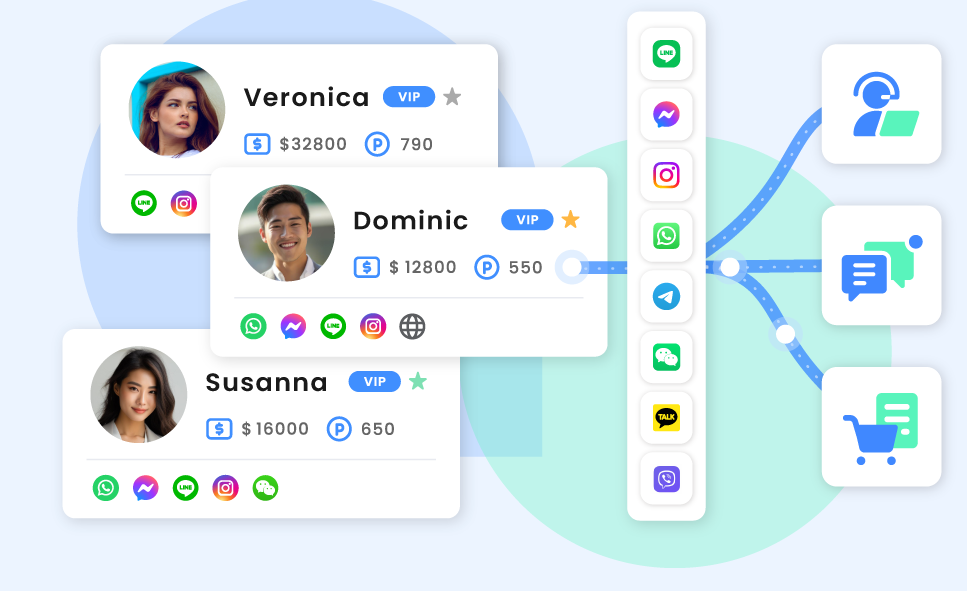
- Omnichannel AI Becomes Non-Negotiable
In 2025, customers expect brands to be wherever they are — WhatsApp, Instagram, live chat, voice, email, even SMS — with the same context, tone, and continuity.
Future-ready AI chatbots will:
- Move seamlessly between channels while maintaining memory of past interactions.
- Allow a conversation that starts on Facebook Messenger to continue via email or live chat — without repeating information.
- Use unified messaging APIs and conversation intelligence to create consistent brand experiences.
Takeaway: Invest in AI platforms that offer true omnichannel capability, not just siloed chat widgets.
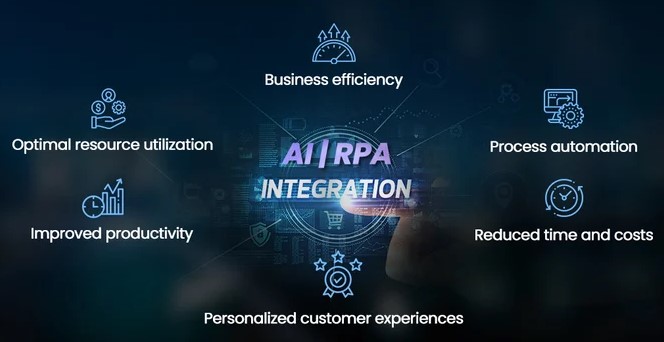
- Conversational AI + RPA = Intelligent Automation at Scale
The future is not just chat — it’s action.
By combining AI chatbots with Robotic Process Automation (RPA) and business systems, companies can:
- Automate backend workflows like order management, refund processing, or lead qualification.
- Trigger actions across tools like Salesforce, HubSpot, Slack, Stripe, and Outlook — without human intervention.
Example: A chatbot not only schedules a consultation but also updates the CRM, creates a Zoom link, and emails a calendar invite — automatically.
Takeaway: Choose platforms that offer integrations with RPA tools or APIs for full end-to-end automation.
- Privacy, Security & Ethical AI Will Take Center Stage
As bots handle more sensitive conversations — from healthcare consultations to financial advice — data security and compliance will be key.
Expect to see:
- Mandatory GDPR, HIPAA, SOC 2 compliance in AI vendors.
- Greater focus on ethical AI — transparency, explainability, and bias reduction.
- Clear opt-ins, data usage disclosures, and user control over stored interactions.
Takeaway: Don’t treat compliance as optional — make it part of your chatbot selection criteria.
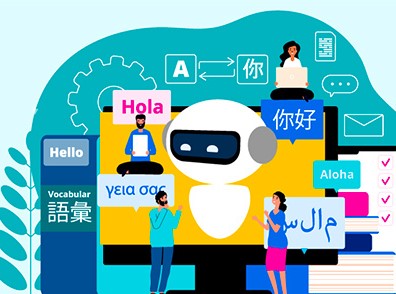
- Voice-Enabled Chatbots & Multilingual Intelligence
The rise of voice search and voice assistants like Alexa and Google Assistant has paved the way for voice-first chatbots.
Meanwhile, businesses with global reach are investing in:
- Multilingual bots that adapt to local languages and cultural nuances.
- AI that understands regional dialects, slang, and mixed language inputs (e.g., Hinglish or Spanglish).
Takeaway: Plan for voice integration and multilingual support early in your roadmap if you serve a global or diverse audience.

- Chatbots as Data Goldmines for CX Optimization
In 2025, chatbot data isn’t just for debugging — it’s a goldmine for customer experience (CX) insights.
Top businesses will use chatbot analytics to:
- Detect gaps in product education or customer journey friction.
- Refine sales scripts and identify high-converting questions.
- Feed real-time insights to product, marketing, and sales teams.
Takeaway: Use chatbot insights to inform your broader CX and business strategy, not just your support playbook.
Final Thought: Prepare for the Era of Human-AI Collaboration
The smartest companies aren’t replacing humans with bots — they’re creating hybrid teams.
Takeaway: Don’t aim for “fully automated.” Aim for strategically augmented — humans and AI working together to create better outcomes.
Real-World Success Stories Across Industries
AI chatbot assistants are no longer experimental—they’re critical drivers of efficiency, conversions, and satisfaction across nearly every industry. Here’s how businesses are putting chatbots to work with measurable results:
SaaS: From Free Trials to Paid Plans
Challenge: Many SaaS companies lose leads between trial sign-ups and product onboarding.
Solution:
A mid-sized SaaS company offering workflow automation software integrated an AI chatbot to:
- Guide trial users through onboarding steps.
- Answer product-related FAQs in real-time.
- Suggest upgrades based on behaviour.
Results in 3 months:
- Trial-to-paid conversion jumped from 12% to 22%
- Customer onboarding time cut by 40%
- Bot handled 74% of Tier 1 support questions
Key Chatbot Features Used:
- Personalized feature walkthroughs
- Live demo booking integration
- Tiered escalation to human support
E-Commerce: Cart Recovery + 24/7 Support
Challenge: Cart abandonment and support overload during peak sales.
Solution:
A fashion retailer deployed a multilingual AI chatbot across web and WhatsApp to:
- Remind users about abandoned carts.
- Answer shipping, sizing, and return questions instantly.
- Recommend products based on browsing history.
Results in 6 weeks:
- 28% increase in recovered carts.
- 35% of interactions handled in Arabic and Hindi.
- 60% drop in support tickets during flash sales.
Key Chatbot Features Used:
- Abandoned cart retargeting.
- Smart FAQ engine.
- Multilingual NLP for better CX.
Healthcare: Scheduling, Triage & Patient Access
Challenge: Overloaded reception desks, missed appointments, long wait times.
Solution:
A multi-location dental chain implemented a HIPAA-compliant AI chatbot to:
- Offer 24/7 appointment booking
- Triage symptoms and suggest treatments
- Send reminders for follow-ups and annual checkups
Results:
- 3.5 hours/day saved in admin time.
- 92% of appointments booked without human interaction.
- 25% fewer no-shows via automated reminders.
Key Chatbot Features Used:
- Calendar sync.
- Symptom checker.
- EMR system integration.



Final Takeaway: AI Chatbot Assistant
As we step into the future of digital business in 2025, one thing is clear — AI chatbot assistants are no longer a luxury; they’re a necessity. Whether you’re running a startup, scaling a SaaS product, or optimizing support across industries like healthcare, finance, or e-commerce, the right chatbot can become your most reliable team member — always on, always improving, and always delivering.
By starting small, choosing the right platform, and focusing on customer-centric design, you set the stage for long-term success. And with real-world results showing improved lead conversion, reduced operational costs, and round-the-clock engagement, the question isn’t if your business should embrace AI chatbots — it’s how soon.
The businesses thriving in 2025 are those that combine human intelligence with AI-powered efficiency. This isn’t about replacing your team — it’s about empowering them, scaling your impact, and delighting your customers at every touchpoint.
So take that first step. Automate smarter. Serve faster. Grow stronger.
Because your future-ready chatbot assistant isn’t just another tool — it’s your gateway to intelligent, scalable, and customer-first business success.

FAQ
We are here to help you 7 days a week and respond within 24 hours. Plus, you can find most answers to your questions right on this page.
AI chatbots use Natural Language Processing (NLP) and Machine Learning (ML) to understand context, learn from interactions, and provide more human-like, adaptive responses — unlike rule-based chatbots which rely on predefined scripts.
Because customer expectations demand 24/7 instant responses, seamless support, and personalized experiences. AI chatbots help businesses reduce labor costs, improve lead generation, and boost customer satisfaction at scale.
Evaluate platforms based on integration capabilities (CRM, email, etc.), scalability, ease of use, industry compliance (HIPAA, SOC2), and available support. Don’t forget to test real-life scenarios during demos.
Yes. Most modern chatbot platforms offer native or API integrations with tools like Salesforce, HubSpot, Pipedrive, Google Calendar, Stripe, and Slack to sync customer data and automate workflows.
Businesses typically see ROI within 30–90 days through faster response times, increased lead conversions, reduced support tickets, and higher customer satisfaction — especially when combined with automation and CRM integration.